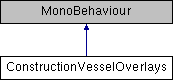
This class is used to manage the CoM, CoL, CoT vessel marker/overlays in Construction Mode in the Flight scene.
More...
|
| void | ToggleCoL () |
| | Toggle CoL markers for all loaded vessels On or Off. (Toggles from current state). More...
|
| |
| void | ToggleCoM () |
| | Toggle CoM markers for all loaded vessels On or Off. (Toggles from current state). More...
|
| |
| void | ToggleCoT () |
| | Toggle CoT markers for all loaded vessels On or Off. (Toggles from current state). More...
|
| |
This class is used to manage the CoM, CoL, CoT vessel marker/overlays in Construction Mode in the Flight scene.
| void ConstructionVesselOverlays.Awake |
( |
| ) |
|
|
inlineprotected |
| void ConstructionVesselOverlays.ToggleCoL |
( |
| ) |
|
|
inline |
Toggle CoL markers for all loaded vessels On or Off. (Toggles from current state).
| void ConstructionVesselOverlays.ToggleCoM |
( |
| ) |
|
|
inline |
Toggle CoM markers for all loaded vessels On or Off. (Toggles from current state).
| void ConstructionVesselOverlays.ToggleCoT |
( |
| ) |
|
|
inline |
Toggle CoT markers for all loaded vessels On or Off. (Toggles from current state).
Singleton instance of this Class in the Flight scene.
| Button ConstructionVesselOverlays.toggleCoLbtn |
This is the UI CoL toggle button.
| Button ConstructionVesselOverlays.toggleCoMbtn |
This is the UI CoM toggle button.
| Button ConstructionVesselOverlays.toggleCoTbtn |
This is the UI CoT toggle button.
The documentation for this class was generated from the following file:


 1.8.7
1.8.7