 |
Kerbal Space Program
1.12.4
|


All Classes Namespaces Files Functions Variables Typedefs Enumerations Enumerator Properties Events Macros
|
Kerbal Space Program
1.12.4
|
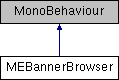
Public Member Functions | |
| void | Accept (MEBannerEntry selectedBanner, MEBannerType bannerType) |
| Button action to accept the selected banner. More... | |
| delegate void | BannerDeletedCallback (MEBannerEntry selected, MEBannerType t) |
| delegate void | BannerSelectedCallback (MEBannerEntry selected, MEBannerType t) |
| void | Dismiss () |
| Close the dilaog without selecting any banners More... | |
| void | Setup (MEBannerType bannerType) |
| Initializes the banner browser information, will fill the list of banners with the appropiate textures from GameData. Then it will instantiate the UI PopUp Dialog with a scroll view that contains buttons for the available banners. More... | |
Public Attributes | |
| BannerDeletedCallback | OnBannerDeleted = (MEBannerEntry b, MEBannerType t) => { } |
| BannerSelectedCallback | OnBannerSelected = (MEBannerEntry b,MEBannerType t) => { } |
| Callback | OnDismiss = () => { } |
|
inline |
Button action to accept the selected banner.
| selectedBanner | The banner that was selected in in the banner browser |
| delegate void MEBannerBrowser.BannerDeletedCallback | ( | MEBannerEntry | selected, |
| MEBannerType | t | ||
| ) |
| delegate void MEBannerBrowser.BannerSelectedCallback | ( | MEBannerEntry | selected, |
| MEBannerType | t | ||
| ) |
|
inline |
Close the dilaog without selecting any banners
|
inline |
Initializes the banner browser information, will fill the list of banners with the appropiate textures from GameData. Then it will instantiate the UI PopUp Dialog with a scroll view that contains buttons for the available banners.
| bannerType | The bannertype, this will determine from which GameData folder the textures will be read from. |
| BannerDeletedCallback MEBannerBrowser.OnBannerDeleted = (MEBannerEntry b, MEBannerType t) => { } |
| BannerSelectedCallback MEBannerBrowser.OnBannerSelected = (MEBannerEntry b,MEBannerType t) => { } |
| Callback MEBannerBrowser.OnDismiss = () => { } |
 1.8.7
1.8.7